I built an X-to-Obsidian button (and it quietly fixed my AI notes)
I quite often find good stuff on X that I want to use for inspiration for content ideas or improving my internal processes; sometimes it’s just a piece of the article, sometimes is the general idea, but when I was copying and pasting from X into my obsidian I had to do repetitive markdown fomatting I felt a really bad taste in my mouth about my precious time being wasted.
So I built a tiny Chrome/Brave extension that does one blunt, practical thing: it converts an X.com article into an Obsidian-friendly Markdown file. One click, a clean .md, ready to drop into a vault.
If you want to use it yourself, everything is in the open: github.com/jgonzalezd/x-article-2-obsidian-md (clone or download, then load unpacked in Chrome or Brave—the README walks through it).

When the file lands in the vault, it keeps the stuff that makes knowledge bases useful: metadata you can query later. Title. Author. Date. Source. Tags. The boring scaffolding that turns a pile of text into something you can work with.
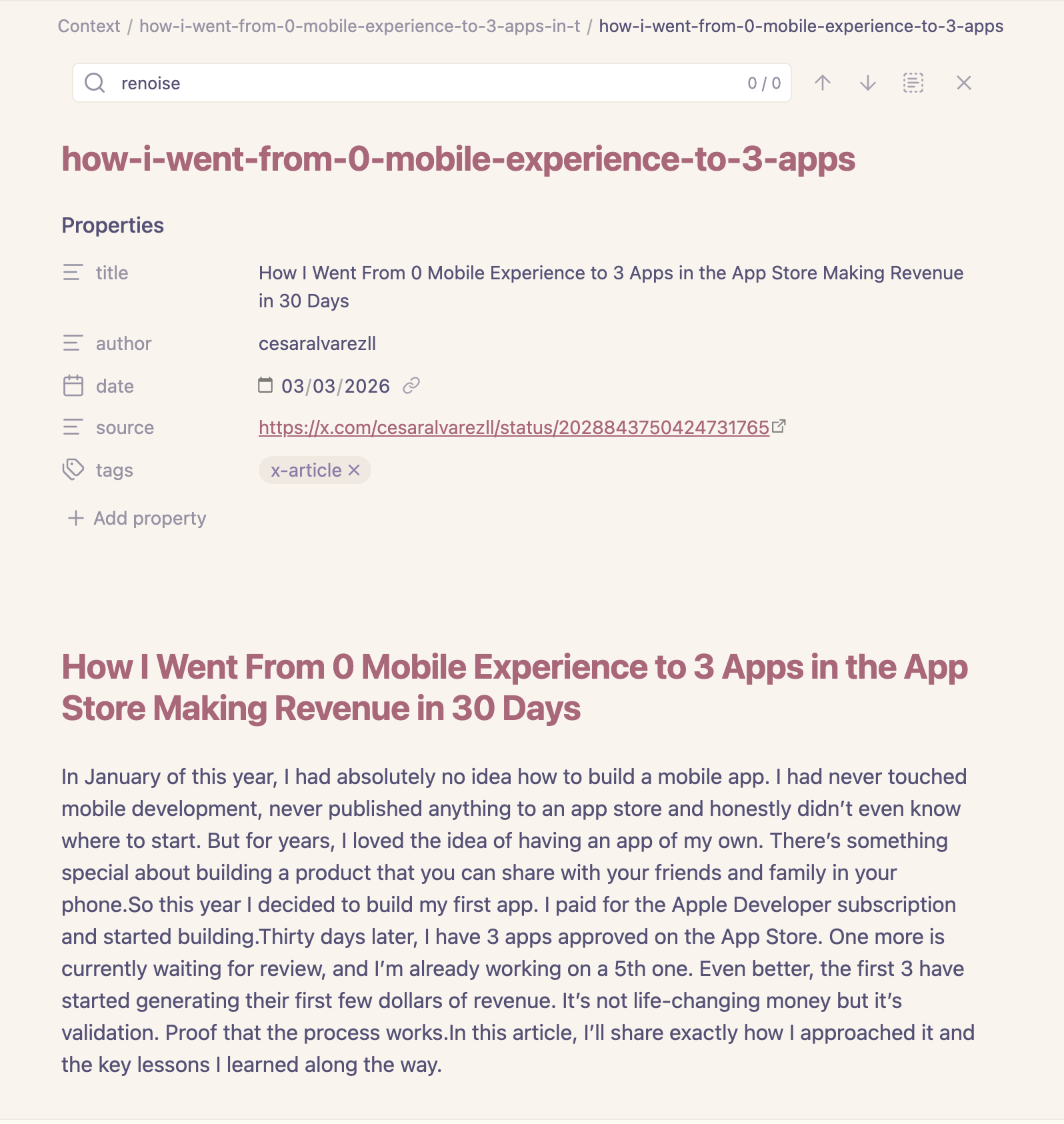
And yes, it preserves the body in readable Markdown, the images are linked automatically in the original places.
If you’re a heavy Obsidian user, you’ll appreciate this extension and use it almost daily. Repo: jgonzalezd/x-article-2-obsidian-md.